Form Your LLC Today. Foreign Founders Welcome.


doola MCP is now available in Claude and Replit. Connect it directly to your AI environment and form a US LLC through a conversation. No forms, no tool-switching, no separate onboarding.
MCP (Model Context Protocol) is the open standard that lets AI assistants securely interact with external systems. Plug doola in once, and any compatible AI assistant can guide you from “I want to start a company” to form your LLC inside AI chat without leaving the environment they’re already building in.
What changes is not just convenience; it’s where company formation actually happens.
The Problem: Formation Hasn’t Kept Up With How Founders Build
Today’s founders are building companies in AI-native environments like Claude and Replit — writing code, exploring ideas, and making decisions in real time.
But the moment they decide to formalize a company, the experience breaks. They’re forced to leave their workflow, research LLC formation and other compliance requirements.
What You Can Do With doola MCP
The biggest unlock is end-to-end company formation inside conversation.
Instead of navigating forms and dashboards, founders can simply talk to an AI agent and complete the entire LLC setup flow:
- Form an LLC through natural conversation
- Provide business and personal details as they come up in context
- Select formation preferences like company name, state, and structure
- Complete checkout and payment inside the flow
- Resume and finish post-payment setup seamlessly in chat
This replaces fragmented onboarding flows with a single continuous interaction — grounded in the same context founders are already using to build.
How to Connect doola MCP
doola MCP works in both Claude and Replit.
Once connected, you can start forming an LLC directly inside an AI conversation.
In Claude
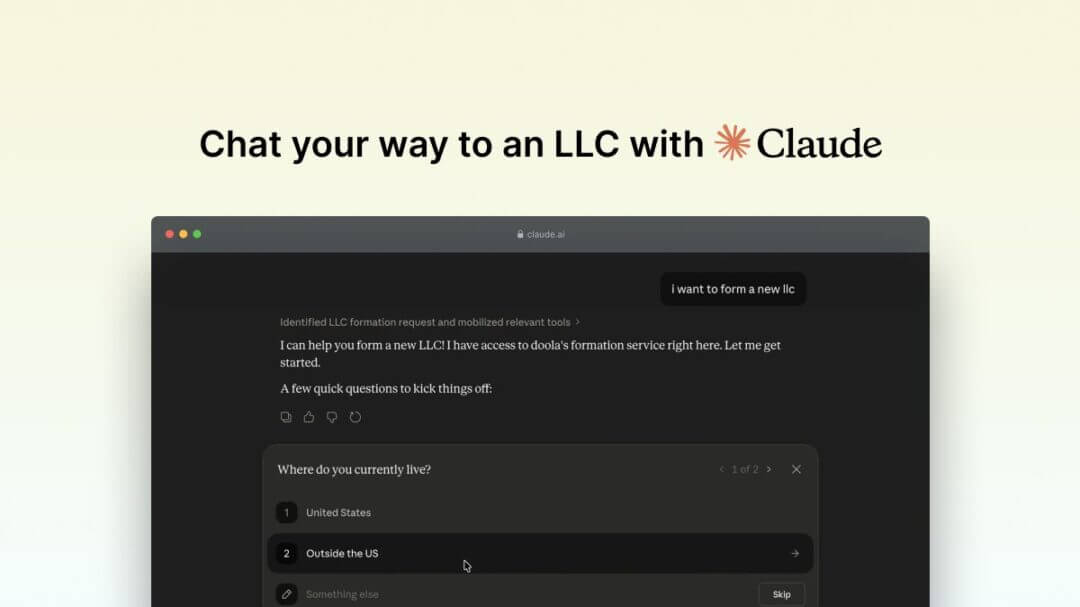
This video walks through the full setup.
Step-by-Step
- Open Claude and go to Settings
- Navigate to Connectors → Add custom connector
- Enter:
- Name: doola
- MCP URL:
https://mcp.doola.com
- Click Add and authorize the connection
- doola is now available in new conversations
In Replit
This video walks through the full setup.
Step-by-Step
- Open Replit workspace
- Go to Settings → Integrations → MCP Servers for Replit Agent
- Add a new MCP server:
- Name: doola
- MCP URL:
https://mcp.doola.com
- Authorize the connection
- doola MCP is now available in Replit Agent
Form Your LLC Inside AI Chat
Once connected, you can simply say:
“Help me form an LLC with doola.”
From there, the AI agent will guide you through a conversational flow. The experience is split into two phases:
Before You Pay
The agent will collect the basics needed to start your formation:
- Set up or sign into your account
- Confirm where you live
- Choose your company name and formation state (default: Wyoming)
- Select your formation package and review pricing
Once confirmed, you’ll complete checkout securely.
After Payment
After checkout, you return to the same conversation to finish your LLC setup:
- Confirm payment and resume your session
- Describe your business
- Add backup company name options
- Confirm business and mailing address
- Confirm account details
- Add LLC members
- Define IRS responsible party
- Set ownership split across members
Final Step

Once everything is complete:
- Your LLC is submitted for filing
- doola handles backend processing and registered agent coordination
- You get access to your doola dashboard to track formation status, download documents and continue with the EIN, banking and the post-formation steps
What This Enables
This is the first step towards a world where starting a company happens inside the same tools where companies are actually built.
Instead of “stop building → go form company → come back,” founders now just keep building; formation happens alongside it.

Table of Contents
The Problem: Formation Hasn’t Kept Up With How Founders BuildWhat You Can Do With doola MCPHow to Connect doola MCPForm Your LLC Inside AI ChatFinal StepHow Businesses Stay Compliant.